
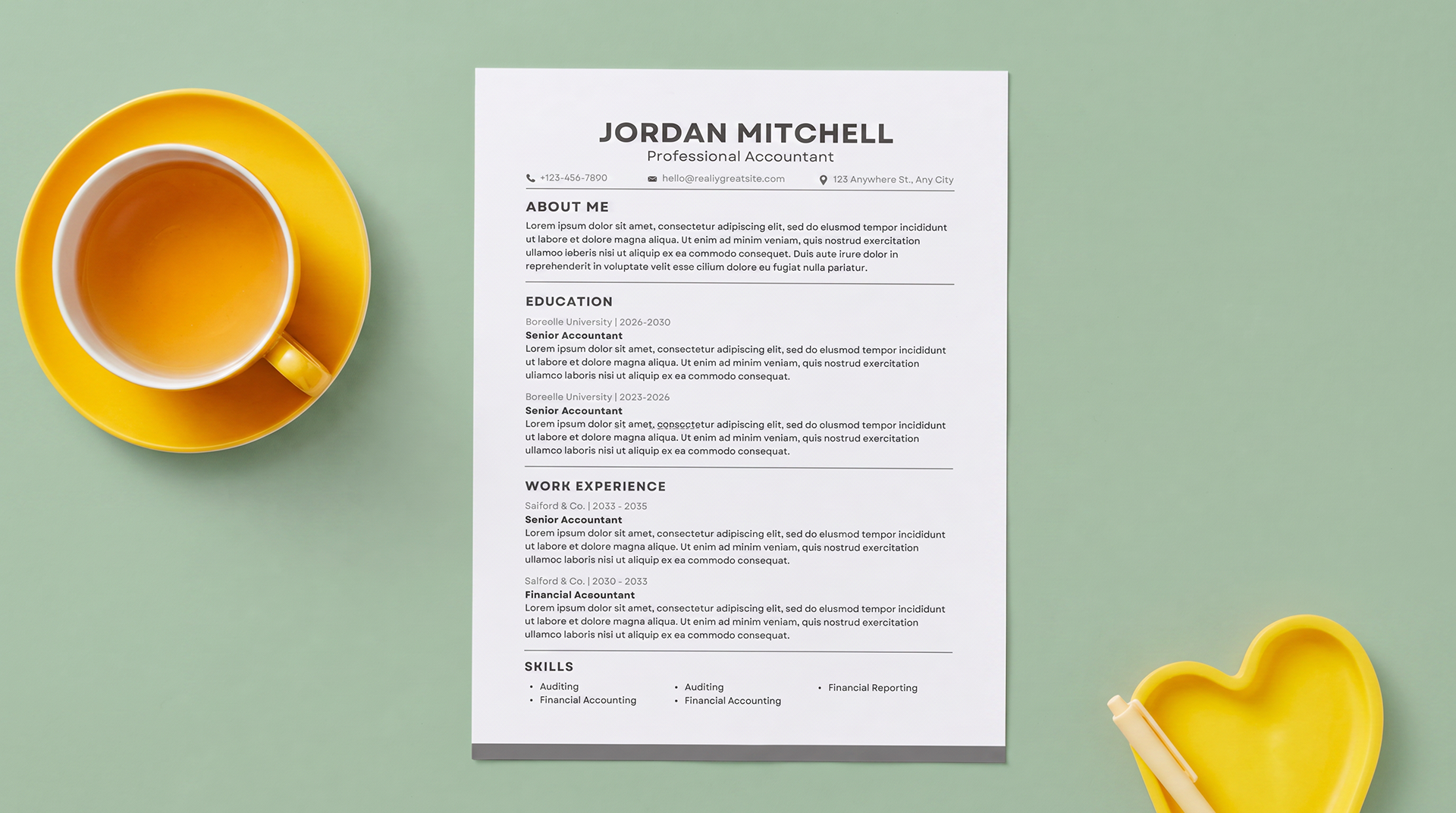
Microsoft Word Resume Template: Free ATS-Friendly Download
A Microsoft Word resume template gives you an easy way to build, edit, and tailor your resume without starting from a blank page. The free template below uses a clean one-column structure, standard section headings, and editable Word text so both recruiters and Applicant Tracking Systems can understand your experience.
What is a Microsoft Word resume template?
A Microsoft Word resume template is a preformatted document you can open in Word and customize with your own contact information, summary, employment history, education, certifications, and skills. Instead of spending time building margins, typography, spacing, and section hierarchy, you can focus on writing stronger content for the job you want.
Microsoft explains that Word users can go to File > New, search for “Resume” or “Cover Letter,” choose a template, and replace the placeholder text. Microsoft also offers a dedicated collection of ATS-friendly templates for Word. The important step is choosing a layout that is not only attractive but also easy for recruiting software to read.
Our downloadable ATS resume template in Word is deliberately simple. It does not use columns, icons, graphics, text boxes, or decorative skill bars. That makes it easier to edit and reduces the chance that important content will be read in the wrong order.
Why use an ATS resume template in Word?
Many employers use an Applicant Tracking System, commonly called an ATS, to collect applications and organize candidate information. The software may extract details such as your name, job titles, employers, dates, education, certifications, and skills. If a document has a complicated layout, the extracted information can appear incomplete or out of order.
A clean Microsoft Word resume template helps reduce formatting problems because Word text is widely supported and easy to revise. It also lets you create a separate version for every application without redesigning your resume each time.
- Edit every section directly in Microsoft Word
- Keep experience in a clear top-to-bottom reading order
- Use recognizable headings such as Professional Experience, Education, and Skills
- Add keywords from each job description naturally
- Save a customized copy for every employer
- Export a PDF when the application specifically asks for one
Harvard career guidance similarly recommends basic formatting, clearly listed skills, and keywords used in context. A template supports the structure, but your evidence and wording are what make the resume persuasive.
Free Microsoft Word resume template preview
This template uses a fictional accounting candidate named Jordan Mitchell. Replace every sample detail with your own information, then tailor the summary, skills, and achievement bullets to the position you are applying for.
JORDAN MITCHELL
Detail-oriented accountant with 6+ years of experience in financial reporting, account reconciliation, month-end close, and audit preparation. Known for improving reporting accuracy, strengthening controls, and translating financial data into clear business insights.
Harbor & West Financial, Miami, FL
Senior Accountant
January 2023 – Present
- Manage monthly close and financial reporting for a $45M portfolio, reducing reconciliation delays by 30%.
- Prepare journal entries, balance-sheet reconciliations, variance analyses, and management reports in accordance with GAAP.
- Standardized account-review procedures, helping the team complete the annual audit two weeks early.
Northline Business Services, Fort Lauderdale, FL
Staff Accountant
June 2020 – December 2022
- Reconciled bank, credit-card, and general-ledger accounts for 18 client entities.
- Processed accounts payable and receivable and supported cash-flow forecasting and budget tracking.
- Built Excel reporting tools that reduced manual preparation by approximately six hours per month.
Coastal Retail Group, Miami, FL
Accounting Assistant
August 2018 – May 2020
- Supported monthly account reconciliation and transaction documentation for 12 retail locations.
- Assisted with invoice processing, expense coding, and data corrections used in weekly reports.
Florida International University, Miami, FL
Bachelor of Science in Accounting
May 2020
Certified Public Accountant (CPA) Candidate | QuickBooks Online Advanced Certified
Accounting: GAAP, financial reporting, month-end close, reconciliation, audit support, budgeting, variance analysis
Software: Microsoft Excel, NetSuite, QuickBooks Online, Microsoft 365
What makes this Word resume template ATS-friendly?
No template can guarantee that an applicant will pass every employer’s screening process. Different companies configure their systems differently, and qualifications still matter. However, a simple document structure can make your resume easier for software and people to interpret.
- Single-column layout: Information follows one predictable reading order from the candidate’s name through skills.
- Standard headings: Professional Summary, Professional Experience, Education, Certifications, and Skills are easy to recognize.
- Word-native text: Important details are not embedded in an image, icon, chart, or shape.
- No header or footer content: Contact information appears in the main document body.
- Common font: Arial is readable, professional, and available in Microsoft Word.
- Simple dates: Each job includes a clear month-and-year range.
- Achievement bullets: The example shows how to combine an action, responsibility, and measurable result.
The visual design stays polished through typography, spacing, alignment, and thin divider lines rather than decorative elements that could interfere with parsing.
How to use the Microsoft Word resume template
- Download and open the file. Select the download button, save the .docx document, and open it in Microsoft Word.
- Save a working copy. Use a clear filename such as LastName_FirstName_Resume.docx before editing.
- Replace the sample contact information. Add your city and state, phone number, professional email address, and LinkedIn profile or portfolio URL.
- Rewrite the professional summary. Use two or three concise sentences that identify your experience, strongest qualifications, and the type of value you offer.
- Update experience in reverse chronological order. Put your most recent role first. Include employer, location, title, dates, and achievement-focused bullet points.
- Add education and relevant credentials. Include a degree, institution, graduation year when appropriate, and certifications required or preferred for the role.
- Tailor the skills section. Prioritize tools, methods, credentials, and domain knowledge that appear in the job posting and that you genuinely possess.
- Check the final file. Review spelling, dates, alignment, page breaks, and accuracy, then check your resume score for free.
How to tailor your Word resume for each job
A strong Microsoft Word resume template should be reused as a foundation, not submitted unchanged to every employer. Read the job description and identify repeated responsibilities, software, certifications, industry terms, and required skills. Then compare those requirements with your actual experience.
Add relevant keywords where they make sense, especially in your summary, skills, and experience bullets. Do not paste a list of keywords or claim skills you do not have. ATS optimization works best when the terms appear inside specific evidence.
For example, if an accounting position emphasizes “month-end close,” “GAAP,” “NetSuite,” and “variance analysis,” those phrases should appear only if they accurately describe your work. A stronger bullet would say, “Prepared monthly variance analyses in NetSuite and presented significant findings to finance leadership.” That gives both the system and the recruiter useful context.
You can also review our resume examples to see how keywords and accomplishments can be adapted for different roles.
Microsoft Word resume formatting mistakes to avoid
- Using multiple columns that separate dates, skills, or contact details from the main reading order
- Placing essential information inside headers, footers, icons, charts, or floating text boxes
- Using a photo, decorative rating bars, or graphics instead of written qualifications
- Renaming standard sections with creative labels that may be unclear
- Shrinking the font until the resume is difficult for a recruiter to read
- Adding keywords without evidence or repeating them unnaturally
- Leaving sample names, placeholder text, or incorrect dates in the final file
- Submitting the same generic resume for jobs with different requirements
Microsoft offers many customizable resume templates, but always inspect the document structure before using a design. The safest choice is usually the layout that keeps content clear and easy to follow.
Should you submit your resume as a Word document or PDF?
Follow the employer’s instructions first. If the application asks for a Microsoft Word document, submit the .docx file. If it asks for a PDF, export your finished resume from Word as a PDF and open the exported file to confirm that spacing and page breaks still look correct.
When both formats are accepted, a clean Word document is generally practical because it preserves editable text. A properly exported text-based PDF can also work well, but avoid scanned PDFs or image-only documents because the text may be harder to extract.
Keep both versions in your job-search folder. Use a descriptive filename without “final-final” labels, such as Mitchell_Jordan_Accountant_Resume.docx or Mitchell_Jordan_Accountant_Resume.pdf.
Frequently asked questions
Is this Microsoft Word resume template free?
Yes. You can download the .docx file, replace the fictional sample content, and customize it for your job applications.
Can I change the font and colors?
Yes, but keep the formatting restrained. Use one common font throughout the document, maintain readable type sizes, and preserve strong contrast between the text and background.
Can I add another job or education entry?
Yes. Copy an existing entry so the formatting stays consistent. If your resume becomes two pages, make sure a job heading is not separated from its bullet points by a page break.
Does an ATS-friendly template guarantee an interview?
No. A template improves organization and readability, but employers still evaluate experience, qualifications, relevance, and the quality of your evidence. Tailoring your resume to the role is essential.
Can I use the template in Google Docs?
You can upload the .docx file to Google Drive and open it in Google Docs. Review the layout carefully after conversion and download the final version in the format requested by the employer.
Download your free ATS resume template in Word
A well-designed Microsoft Word resume template should help your experience stand out without making recruiters work to understand it. Start with the clean structure, replace the fictional example with your information, tailor the keywords and achievements to the job description, and review every detail before applying.
Once your document is ready, use our free resume scanner to identify possible keyword and formatting gaps before you submit it.
Download the template and check your resume score
Use the editable Word template to create your resume, then scan the finished version for missing keywords and common formatting issues.