
ATS Friendly Resume Format: How to Create a Resume That Passes Applicant Tracking Systems
ATS friendly resume format is one of the most important things to consider before applying for jobs online. Even if you have strong experience, the wrong resume layout can make it harder for Applicant Tracking Systems to read your information correctly.
What is an ATS friendly resume format?
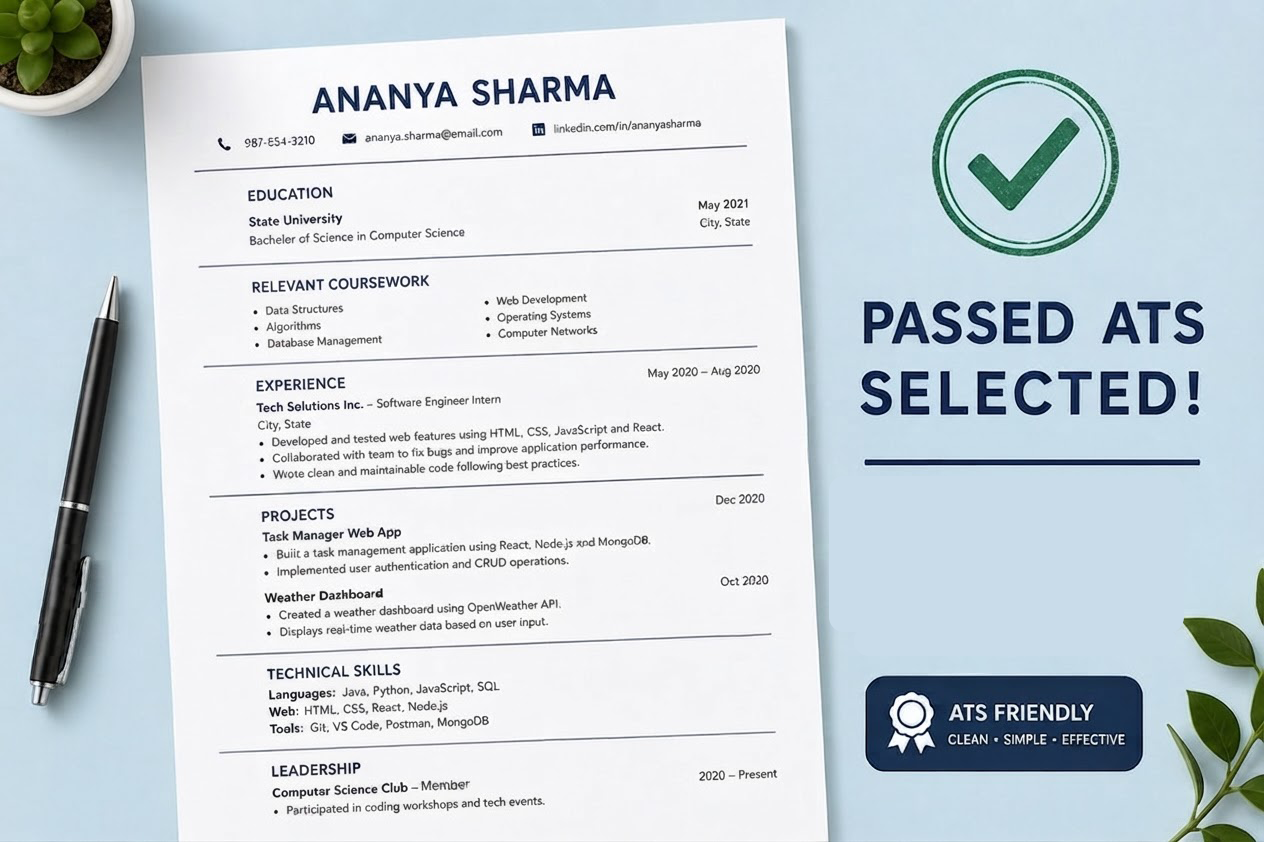
An ATS friendly resume format is a clean, simple resume layout that can be read by both hiring software and recruiters. ATS stands for Applicant Tracking System. Many companies use this software to scan resumes before a recruiter reviews them.
The system looks for important information such as your name, contact details, work experience, education, skills, job titles, certifications, and keywords from the job description. If your resume uses complicated formatting, some of this information may not be parsed correctly.
A strong ATS friendly resume format keeps your resume easy to scan. It avoids unnecessary design elements and focuses on clear sections, readable fonts, simple bullet points, and job-related keywords.
Before applying, you can also check your resume score for free to see whether your resume may have formatting or keyword issues.
Why resume format matters for ATS
Many job seekers choose resume designs that look attractive but are not easy for Applicant Tracking Systems to read. A resume with columns, icons, graphics, tables, text boxes, or unusual fonts may look modern, but it can create problems when uploaded to an online application system.
When an ATS cannot read your resume correctly, your work history, skills, or education may appear incomplete. This can lower your chances of being selected, even if you are qualified for the role.
The best resume format for ATS is simple and organized. It helps software understand your background and helps recruiters quickly see why you are a good match.
Best ATS friendly resume format
The best ATS friendly resume format is usually a reverse chronological resume. This means your most recent job appears first, followed by previous roles in order. This format is familiar to recruiters and easy for ATS software to scan.
- Use a single column layout
- Place your name and contact information at the top
- Use standard section headings
- List your most recent work experience first
- Use simple bullet points
- Include keywords from the job description naturally
- Use a clean font such as Arial, Calibri, Helvetica, Georgia, or Times New Roman
- Avoid graphics, icons, tables, columns, and text boxes
If you need layout inspiration, explore our resume templates and resume examples before creating your final resume.
ATS friendly resume format example
Below is a simple resume format example that works well for most job applications. You can adjust the sections based on your career level, industry, and target role.
FIRSTNAME LASTNAME
Results-driven professional with experience in your industry, key skill, key skill, and key skill. Skilled at improving processes, supporting teams, solving problems, and delivering measurable results.
Company Name, City, State
Job Title
Month Year – Present
- Describe your responsibility using action words and keywords from the job description.
- Include measurable results when possible, such as percentages, revenue, time saved, or projects completed.
- Show how your work supported business goals, customers, team performance, or operational improvements.
Previous Company Name, City, State
Previous Job Title
Month Year – Month Year
- Highlight relevant experience that connects to the role you are applying for.
- Use clear language instead of vague phrases or overly creative wording.
University or School Name, City, State
Degree or Certification, Graduation Year
Technical Skills: Microsoft Excel, Google Analytics, CRM Tools, Project Management Software
Professional Skills: Communication, Problem Solving, Leadership, Organization, Customer Service
Common ATS resume formatting mistakes
Even small formatting mistakes can make your resume harder to read. If you want to create an ATS friendly resume format, avoid anything that may confuse scanning software.
- Using a two-column resume layout
- Placing contact information in the header or footer
- Adding photos, icons, charts, or graphics
- Using tables or text boxes
- Choosing decorative fonts
- Using unusual section titles such as “My Journey” instead of “Work Experience”
- Saving the resume in the wrong file format
- Forgetting to include keywords from the job description
A simple format does not mean your resume has to look boring. It means your content should be easy to understand and easy to scan.
Best sections to include in an ATS friendly resume
Your resume should include standard sections that hiring systems can recognize. These headings make it easier for the ATS to organize your information correctly.
- Contact Information
- Professional Summary
- Work Experience
- Education
- Skills
- Certifications
- Projects
- Volunteer Experience
You do not need to include every section. Choose the sections that are most relevant to your background and the job you want.
How to improve your ATS friendly resume format
After choosing a clean resume format, customize your resume for each job application. Read the job description carefully and look for repeated skills, tools, responsibilities, and qualifications.
For example, if a job description mentions project management, data analysis, customer service, or Salesforce, include those terms naturally if they match your real experience. Do not add keywords you cannot support. ATS optimization works best when your resume is both accurate and relevant.
You can also compare your resume with a job description by using an ATS resume checker. This can help you find missing keywords, formatting issues, and areas where your resume may need improvement.
Final thoughts on ATS friendly resume format
An ATS friendly resume format helps your resume pass through Applicant Tracking Systems and reach the people making hiring decisions. The goal is not to create the most decorative resume. The goal is to create a resume that is clear, organized, keyword-focused, and easy to read.
Use a single column layout, standard headings, simple fonts, and strong bullet points. Avoid graphics, tables, columns, and confusing design elements. Most importantly, tailor your resume to each job so your experience matches the role you want.
Before submitting your next application, review your format, check your keywords, and check your resume score for free.
Check your resume score for free
Upload your resume and see how it performs before applying. Find missing keywords, formatting issues, and simple fixes before they cost you interviews.